Email Cover Letter vs PDF Cover Letter
04 Oct 2026 · CTRLin
You have tailored your resume and finished your cover letter. Now one small decision can create surprising uncertainty: should the full cover letter go inside the email, or should you attach it as a PDF?
There is no single format that is right for every application. Follow the employer's instructions first. If no format is specified, choose based on how you are applying, who receives the application, and whether the letter may need to be stored or forwarded separately.
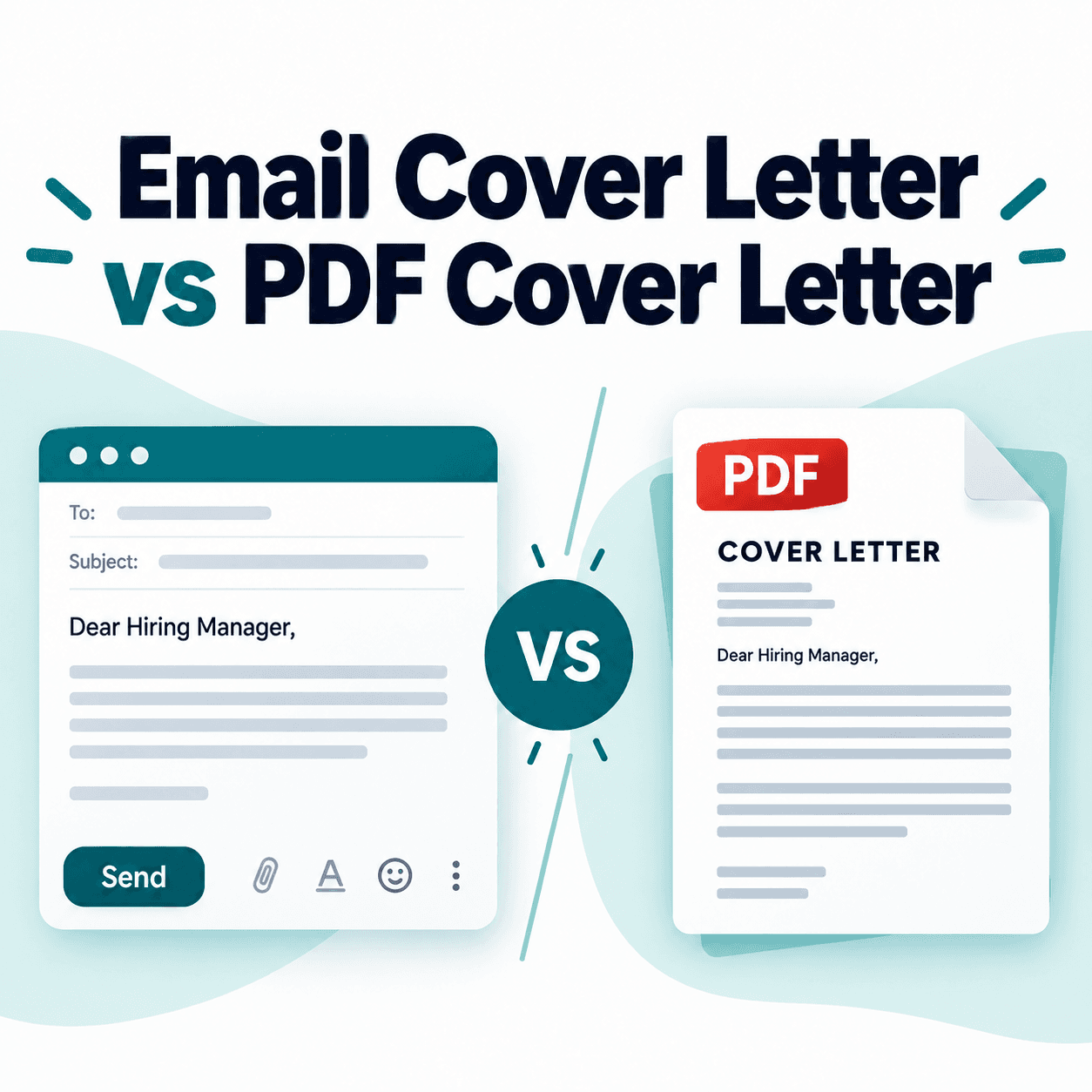
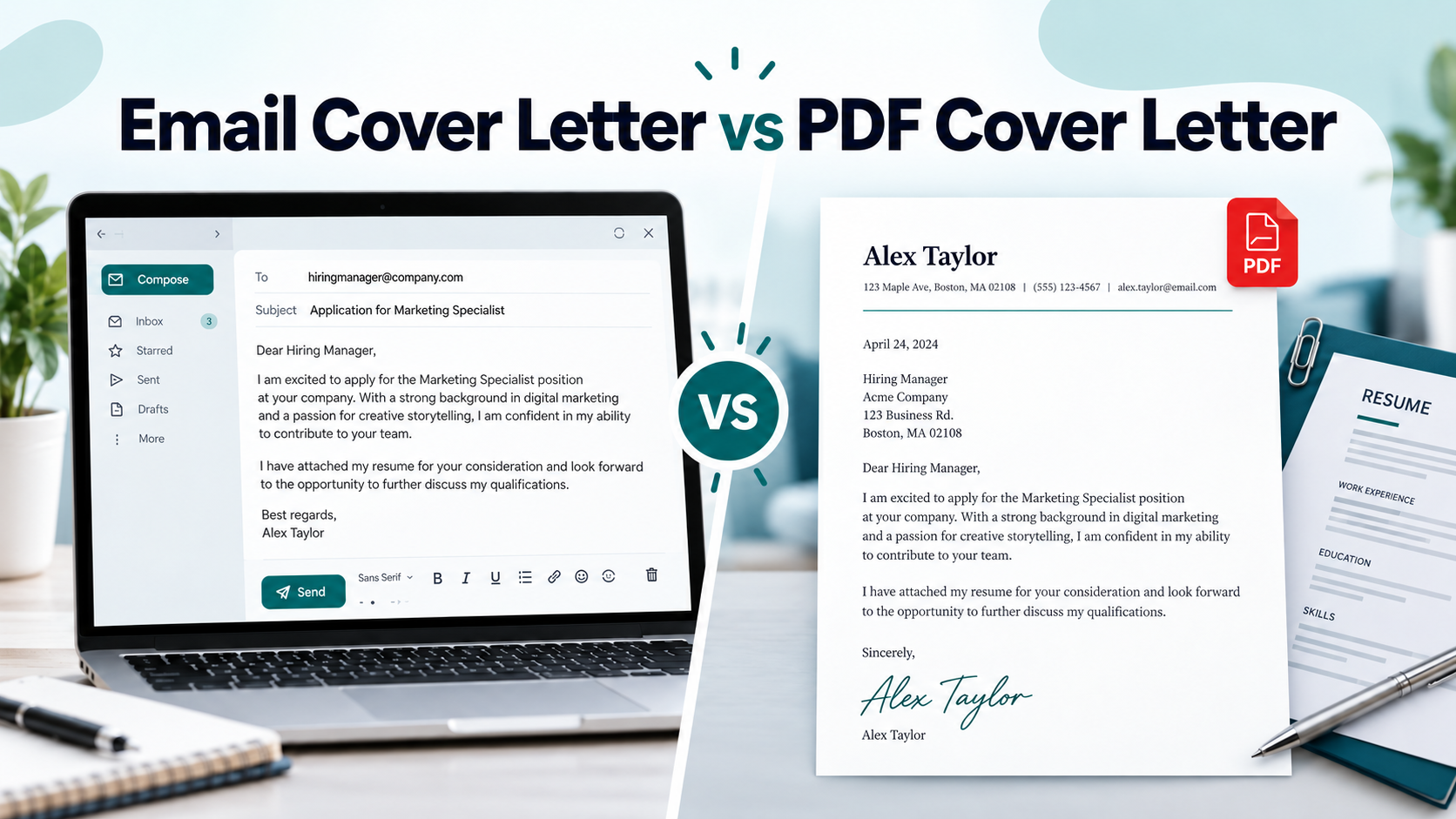
An email cover letter places the full persuasive message directly in the email body. A PDF cover letter is a separate formatted document, usually accompanied by a short application email.
A third option is often practical: send a concise email that introduces your application and attach the full cover letter as a PDF.
Email Cover Letter vs PDF Cover Letter: What’s the Difference?
An email cover letter and a PDF cover letter can make the same case for your candidacy, but they are delivered differently. That affects formatting, visibility, file handling, and the way you should structure your message.
The most important distinction is between a full email cover letter and a short application email. They are not the same thing.
What Is an Email Cover Letter?
An email cover letter is a complete cover letter written directly inside the email.
It normally includes:
- A professional greeting
- The role you are applying for
- A brief reason for your interest
- Evidence that you match the position
- A professional closing
- Your contact details
Because the email itself functions as the letter, you do not normally need to attach the same cover letter again unless the employer requests a separate file.
An email version also uses simpler formatting. Harvard's career guidance notes that an email cover letter can omit the sender address, recipient address, and date used in a formal attached letter.
What Is a PDF Cover Letter?
A PDF cover letter is a separate document that you attach to an email or upload through an application portal.
It can use a traditional business-letter structure with your contact details, date, recipient information, greeting, body, and closing.
PDF is useful when you want to preserve the document's layout. Microsoft states that exporting a Word document as PDF creates a shareable copy while preserving its formatting.
Harvard also distinguishes between email and attachment formats, recommending proper letter formatting when the cover letter is submitted as an attachment.
Application Email vs Full Email Cover Letter
A short application email introduces your documents. A full email cover letter explains why you are a strong match for the job.
| Format Main purpose | |
| Application email | Briefly introduces you and identifies attached documents |
| Email cover letter | Contains the full persuasive cover-letter message |
| PDF cover letter | Provides the complete letter as a separate formatted file |
For example, if you attach a full PDF cover letter, your email might be only four or five sentences.
If the email itself is your cover letter, it should contain enough detail to explain your relevant experience and interest.
Avoid pasting the complete letter into the email and then attaching the exact same text unless the employer specifically asks for both.
Which Format Should You Use? A Decision Framework
The best cover-letter format depends more on the application workflow than on a universal rule about email or PDF.
Use this decision order:
- Follow explicit employer instructions.
- Check whether you are applying by email or through a portal.
- Identify who will receive the application.
- Consider whether the document may be stored or forwarded separately.
- Use the requested file type.
1. Follow the Employer’s Instructions First
If the employer specifies a submission method, that should normally settle the decision.
If the job posting says:
- “Paste your cover letter into the email”: put the full letter in the email body.
- “Attach your cover letter”: send it as a separate file.
- “Upload a PDF”: use PDF.
- “Upload a Word document”: use DOC or DOCX.
- “Complete the cover-letter field”: use the field provided.
Do not override a clear instruction because another format looks more polished.
Also check whether the employer specifies:
- Subject-line wording
- File name format
- File-size limits
- Accepted document types
- Whether a cover letter is optional or required
The best format is the one that fits the actual application process.
2. If You Are Emailing the Hiring Manager Directly
A full email cover letter can work well when you are applying directly to a hiring manager and no attachment format has been requested.
The main advantage is visibility. The recipient can understand why you are contacting them without opening another document.
A short email plus a PDF attachment is also reasonable when you want the letter to exist as a separate professional document.
Neither method is universally better.
Ask:
- Did the posting request a separate cover letter?
- Is the email itself meant to be the application?
- Would a standalone letter be useful if the message is forwarded?
- Is my email concise enough to scan easily?
Do not assume every startup prefers email-body letters or every corporate employer expects a PDF. The application channel matters more than the company stereotype.
3. If HR, a Recruiter, or Someone Else May Forward Your Application
A separate file can be useful when the application may pass between several people because the cover letter remains an identifiable document.
That does not mean every recruiter prefers an attachment.
Different organizations store applications differently. For example, Greenhouse supports separate candidate resume and cover-letter uploads, and those attachments can appear as documents within the candidate profile for hiring teams.
If a recruiter or staffing agency gives you specific instructions, follow them.
If no instructions are provided, a practical approach is:
short professional email + clearly named resume and cover-letter attachments
That keeps the message easy to read while preserving the documents separately.
4. Referrals, Cold Outreach, Startups, and Corporate Applications
The same decision can change with the application route.
Employee referral: A concise email plus separate documents can be useful if the employee will forward your application.
Cold outreach: An email-body message can work well because the recipient immediately sees why you are contacting them.
Startup application: If the company explicitly asks candidates to email someone directly, either a focused email cover letter or short email plus attachment can work.
Corporate application: If the employer directs candidates through an application system, use the portal rather than inventing your own delivery method.
The most useful question is not:
“Which format looks more professional?”
It is:
“How will this application move through the employer's hiring process?”
Email Body vs PDF Attachment: Side-by-Side Comparison
An email-body cover letter prioritizes immediate visibility. A PDF attachment gives you more control over presentation and creates a separate document that can be stored independently.
| Factor Email-body cover letterPDF attachment | ||
| Immediate visibility | Read directly in the inbox | Requires opening the file |
| Formatting control | Limited by the email client | Layout is generally preserved |
| Separate storage | Stays within the email message | Exists as an independent file |
| Forwarding | Travels as part of the email thread | Can be forwarded or stored separately |
| Mobile reading | Easy if concise and simply formatted | Depends on device and PDF viewer |
| Formal presentation | Simpler | Supports full letter formatting |
| Portal use | Relevant only where text entry is provided | Common upload format where accepted |
| Length | Usually more concise | Often up to one page |
| Best fit | Direct email when no attachment is required | Uploads or formal document submission |
Neither format should be selected only because it appears more impressive.
A well-targeted email cover letter is stronger than a beautifully designed PDF that ignores the employer's instructions.
What to Do When Applying Through an ATS or Job Portal
An applicant tracking system does not follow one universal file-format rule.
Different recruiting platforms accept different file types and employers can configure their own application processes. Use the formats and fields provided by the employer rather than relying on broad claims such as “ATS always prefers Word.”
When the Portal Has a Cover-Letter Upload Field
If the application provides a dedicated cover-letter upload field, use it.
Check:
- Accepted file types
- Maximum file size
- Whether the document is required
- Whether the portal gives separate fields for resume and cover letter
For example, Greenhouse currently supports candidate uploads in DOC, DOCX, PDF, RTF, and TXT formats. That is Greenhouse-specific behavior and should not be generalized to every ATS.
If separate resume and cover-letter upload fields are provided, upload each document to the appropriate field rather than merging them without a reason.
When the Portal Gives You a Text Box
A portal text field is not the same thing as an email.
If the employer provides a text box for the cover letter, paste a clean text version there.
Before submitting:
- remove unnecessary document headers
- keep paragraphs short
- check spacing
- verify that special characters display correctly
- respect any character limit
- avoid relying on visual formatting to communicate meaning
Do not attach another version unless the application specifically allows or requests it.
When the Portal Allows Only One Upload
Do not automatically combine your resume and cover letter just because there is one upload field.
Read the instructions first.
The employer may want:
- Resume only
- One combined application document
- Resume uploaded first and cover letter entered elsewhere
- Additional documents after the initial application
If the employer explicitly requests a combined file, create one.
If the instructions say only “upload resume,” adding an unsolicited cover letter to the same file can make the application less straightforward.
PDF vs DOCX for ATS
There is no universal rule that PDF always works better or that DOCX always works better.
Use the requested format.
As one current example, Greenhouse accepts both PDF and DOCX for candidate resume and cover-letter uploads.
Greenhouse's own candidate guidance also recommends PDF for resumes submitted through My Greenhouse, which illustrates why ATS advice should be platform-specific rather than treated as an industry-wide rule.
For a PDF cover letter:
- export it digitally rather than scanning a printed page
- confirm the text can be selected
- keep the layout straightforward
- avoid unnecessary decorative complexity
- open the final file before submitting
If the employer requests DOCX, send DOCX.
If the employer requests PDF, send PDF.
A familiar file format does not compensate for ignoring the application instructions.
How to Format Each Version Correctly
A cover letter should be easy to read before it is visually impressive. Email versions benefit from simple structure. PDF versions can use a more formal document layout.
Both should remain focused on the job you are applying for.
Formatting an Email-Body Cover Letter
Use a simple structure:
Greeting
Address the recipient by name when you have a reliable name.
Opening
State the role and give a clear reason for your interest or relevance.
Evidence
Use one or two short paragraphs to connect your experience, skills, projects, or achievements to the job.
Closing
Express interest in speaking further and thank the reader.
Signature
Include your full name and relevant contact information.
Harvard notes that email cover letters can begin directly with the salutation rather than repeating the formal address blocks used in an attached letter.
Keep the presentation simple. Avoid decorative columns, multiple fonts, colored headings, or image-based signatures that add little value.
Formatting a PDF Cover Letter
A PDF cover letter can use a formal business-document structure.
Include, where appropriate:
- Your name
- Email and phone number
- Date
- Recipient name and organization
- Greeting
- Focused body paragraphs
- Professional closing
One page is a practical limit for most applications unless the employer requests something different.
The document should look related to your resume without needing to be an exact visual copy.
For example, both documents might use:
- The same name format
- The same primary font
- The same contact information
- Similar spacing and typography
Subject Lines, File Names, and Attachment Hygiene
The subject line should make the purpose of your email immediately clear.
Examples:
Application for Frontend Developer: Aisha Khan
Financial Analyst Application: Omar Malik
If the employer gives a required subject-line format, use it exactly.
Your filenames should also identify the candidate and document clearly.
Good:
Aisha_Khan_Cover_Letter.pdf
Aisha_Khan_Resume.pdf
Poor:
coverletterFINAL2.pdf
newresume.pdf
document.pdf
Before sending, open every attachment and verify:
- Correct job title
- Correct employer
- Correct recipient
- Correct version
- Working links
- Readable layout
A polished filename cannot fix an attachment meant for another company.
What Should You Write in the Email?
The email should tell the recipient why you are contacting them and make the next step obvious.
If the email itself is the cover letter, it needs enough substance to support your application.
If the full letter is attached, the email should introduce the application without repeating the document.
If the Email Itself Is the Cover Letter
Subject: Application for Junior UX Designer: Maya Ahmed
Dear Ms. Carter,
I am applying for the Junior UX Designer position at Northline Studio. My recent design projects have focused on simplifying onboarding flows and creating accessible mobile experiences.
For my final-year project, I redesigned a student-services platform after conducting user interviews and usability testing. I created the prototype in Figma and reduced the steps required to complete several common tasks.
I would welcome the opportunity to discuss how my user-research and prototyping experience could support your product team. My resume and portfolio are attached for reference.
Best regards,
Maya Ahmed
Portfolio: [portfolio link]
This version works as the complete cover letter. It does not require an identical letter as a second attachment.
If You Are Attaching the Full Cover Letter
Subject: Application for Financial Analyst: Omar Malik
Dear Ms. Wong,
I am applying for the Financial Analyst position advertised on your careers page.
I have attached my resume and cover letter for your review. My experience with financial modeling and monthly management reporting aligns closely with the role's requirements.
Thank you for your consideration. I would be glad to discuss my experience further.
Kind regards,
Omar Malik
Phone
The email stays short because the attached cover letter contains the full argument.
Do Not Duplicate the Full Letter Twice
Sending an identical full letter in two places usually adds repetition rather than value.
Before
Email: 350-word cover letter
Attachment: same 350-word cover letter
Better
Email: short introduction and attachment note
Attachment: full tailored cover letter
Use the email to help the recipient understand the application.
Use the attachment to make the complete case for your candidacy.
Keep Your Resume, Cover Letter, and Portfolio Consistent
Your resume, cover letter, and portfolio do not need identical designs. They should, however, clearly describe the same professional identity.
Core facts should stay consistent across every asset.
Match the Core Professional Information
Check that the same information appears wherever relevant:
- Full name
- Phone number
- Current job title
- Employment dates
- Qualifications
- Portfolio URL
- LinkedIn URL
Consistency also applies to how you describe your experience.
If your resume says you led a five-person project team, your cover letter should not describe the same work as managing ten people.
Your files can have different purposes without contradicting each other.
CTRLin's Resume workflow is built around organizing professional information such as experience, skills, education, certifications, and projects, while the wider platform connects resume, portfolio, and cover-letter creation around a professional profile.
Include Portfolio or Professional Links Where They Add Value
A portfolio link is most useful when seeing the work provides evidence that a resume alone cannot show.
Examples include:
- developer projects
- UX case studies
- graphic design work
- marketing campaigns
- data dashboards
- writing samples
- freelance projects
For a developer, GitHub may also be relevant. For a designer, a portfolio may be more important than an additional professional-network profile.
Do not scatter every profile you own through the email, resume, and cover letter.
Choose the links that help evaluate your fit for that specific job.
CTRLin also supports portfolio creation and sharing alongside its resume and cover-letter tools, which makes it a natural option for candidates who need to present both experience and project evidence.
Does the Best Choice Change by Career Stage?
Career stage can change what your cover letter needs to explain. It does not replace the employer's submission instructions.
A student, career changer, and senior professional can all use either format when the application process allows it.
Students and First-Time Applicants
Students and fresh graduates should prioritize clarity.
If you have limited professional experience, the cover letter can connect:
- Internships
- Academic projects
- Coursework
- Volunteering
- Certifications
- Transferable skills
to the job's requirements.
If a portfolio or project link provides relevant proof, include one clear link rather than turning the email into a list of profiles.
Do not assume that being entry-level means you need a longer letter. Relevance matters more than length.
Career Changers
Career changers often need the cover letter to answer a question the resume may not answer immediately:
Why does this transition make sense?
For example, a teacher moving into instructional design may connect classroom experience with:
- Learning design
- Stakeholder communication
- Training materials
- Digital learning tools
- User-focused content
The delivery format still depends on the employer's application process.
Use the cover letter content to explain the transition. Do not rely on PDF versus email to make the story stronger.
For candidates making that transition, CTRLin's career-change guidance covers transferable skills, projects, portfolio evidence, and how the cover letter can explain the move.
Senior and Executive Candidates
Experienced professionals may have more achievements available, but the cover letter should still be selective.
Focus on the few points most relevant to the role, such as:
- Leadership scope
- Business impact
- Major transformations
- Revenue or cost outcomes
- Strategic responsibilities
A formal attached letter may be useful when the application calls for a separate document or the letter will circulate independently.
It is not automatically required simply because the role is senior.
Common Cover-Letter Email and Attachment Mistakes
Most submission mistakes are not sophisticated. They happen because a candidate rushes the final step.
Check for these before sending:
- Ignoring the employer's requested format
- Sending an empty email with unexplained attachments
- Attaching the wrong resume or cover letter
- Repeating the entire letter in both the email and attachment
- Using filenames such as document.pdf
- Leaving another employer's name in a reused letter
- Sending an unreadable scan instead of a clean digital document
- Using decorative formatting that makes the letter harder to read
- Referring to a portfolio or attachment that is missing
- Submitting without opening the final files
One error deserves extra attention: partial tailoring.
A candidate changes the opening paragraph for Company B but leaves Company A's name in the closing paragraph.
Before sending, search the document for:
- Employer name
- Hiring manager name
- Job title
- Old filenames
That takes less time than recovering from an obvious application error.
Email Cover Letter or PDF? Final Decision Checklist
Use the application workflow, not a generic rule, to make the final choice.
Before submitting, check:
- Did the employer specify a format? Follow it.
- Are you applying through a portal? Use its fields and accepted file types.
- Are you emailing someone directly? Decide whether the email itself should make your case or introduce attachments.
- May the letter need to exist as a separate document? Consider an attachment.
- Did the employer request PDF or Word? Use that format.
- Is your PDF digitally created and readable? Open and inspect it.
- Does your email repeat the attachment unnecessarily? Shorten it.
- Do your resume, cover letter, and portfolio contain consistent information? Correct any mismatch.
- Did you open every attachment and test important links? Do it before sending.
- Is the letter tailored to the job? Delivery format cannot compensate for irrelevant content.
Once you know how the employer wants the application delivered, the next task is creating a cover letter that fits the role.
CTRLin provides resume, portfolio, and personalized cover-letter tools within the same career-building platform, including AI-assisted cover-letter functionality.
Create your cover letter with CTRLin
FAQ
Is it better to put a cover letter in the email or attach it?
Neither option is universally better. Follow the employer's instructions first. For a direct email, a complete email-body cover letter or a short message with an attached letter can both work. For an application portal, use the cover-letter field or file format the employer provides.
Should I send both an email message and a PDF cover letter?
Yes, when the email is a short introduction rather than a duplicate of the PDF. A useful combination is a concise application email that identifies the role and attachments, plus a complete tailored cover letter as a separate file. Avoid sending the same full letter twice unless specifically requested.
Is PDF or Word better for a cover letter?
Use the file format requested by the employer. Both PDF and DOCX are accepted by some recruiting systems. Greenhouse, for example, currently supports both formats for candidate cover-letter uploads. This does not mean every ATS uses the same rules.
Can ATS read PDF cover letters?
Some major recruiting systems accept PDF cover letters, but ATS behavior and employer configuration vary. Greenhouse currently accepts PDF candidate uploads, including cover letters. Use a digitally created PDF with readable text and follow the employer's stated file requirements rather than assuming every system handles files identically.
How long should an email cover letter be?
There is no mandatory word count. An email cover letter should be concise enough to scan comfortably while still explaining your relevance to the role. Use a focused opening, one or two evidence-based paragraphs, and a short closing. If the email becomes difficult to scan, tighten the message rather than filling space.
What should I write in the email if my cover letter is attached?
State the role you are applying for, mention that your resume and cover letter are attached, add one brief sentence about your relevant background, and close professionally. The email should guide the recipient to the documents rather than repeat the entire cover letter.
Should my cover letter match my resume?
The two documents should use consistent professional information and compatible formatting, but they do not need identical layouts. Keep your name, contact details, dates, role information, and professional links consistent. A similar font and visual style can also make the application feel more cohesive.
Should I combine my resume and cover letter into one PDF?
Only combine them when the employer requests one document or the application instructions clearly call for a combined file. If the portal provides separate resume and cover-letter upload fields, use them separately. Do not merge the documents merely because combining them seems more convenient.
Get Exclusive Updates & Resume Builder Features
Subscribe to our newsletter and stay ahead with the newest tools, design updates, and job-winning tips.