Virtual Interview Tips to Ace Your Online Job Interview
30 Sept 2026 · CTRLin
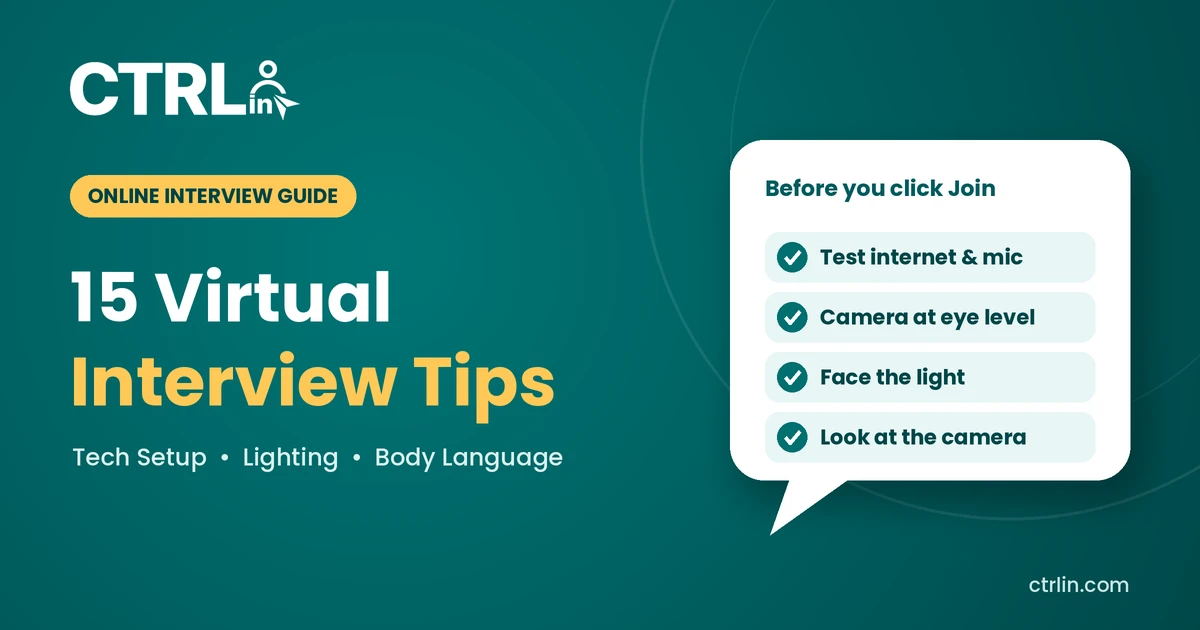
Virtual interviews are now a normal part of hiring. Many companies run first-round, and sometimes every round, of interviews on Zoom, Google Meet, or Microsoft Teams. They save time for everyone, but they also bring new challenges: a weak internet connection, poor lighting, or an awkward camera angle can distract from your answers.
The good news is that you control most of these things. This guide shares 15 practical virtual interview tips to help you look professional, sound confident, and stay calm, even if something goes wrong.
Quick answer: To succeed in a virtual interview, test your internet, camera, and microphone in advance; choose a quiet, well-lit room with a clean background; dress professionally from head to toe; look at the camera when you speak; keep your answers clear and concise; and have a backup plan, such as a phone hotspot and the interviewer's number, in case of technical problems.
Part 1: Get Your Tech Ready
1. Test your internet connection
A frozen screen in the middle of an answer is the most common virtual interview problem. Run a speed test a day before; aim for at least 5 Mbps upload and download. On the day, sit close to your Wi-Fi router or use a cable, and ask others at home to pause heavy streaming or downloads.
2. Check your camera and microphone
Open your camera app and record a short test video. Make sure the image is clear and your voice sounds natural, without echo. Wired or Bluetooth earphones with a microphone usually sound much better than a laptop's built-in mic and stop your speakers' echo.
3. Install and test the platform in advance
Find out which platform the interview uses and download the app in advance rather than relying on the browser at the last minute. Log in, update the app, set your display name to your full name, and add a professional profile photo. Most platforms, including Zoom, have a free test meeting you can join to check everything.
4. Position your camera at eye level
Place your laptop on a stack of books or a stand so the camera sits at eye level. Sit about an arm's length away, so your head and shoulders fill the frame with a little space above your head. A camera looking up at you from a desk is unflattering and distracting.
5. Charge your device and close other apps
Plug in your laptop or fully charge it. Close unused tabs and apps to keep your connection smooth, and turn off notifications so no pop-ups or sounds interrupt you, especially if you have to share your screen.
Part 2: Set Up Your Space
6. Choose a clean, simple background
A plain wall, a tidy bookshelf, or a neat room corner works best. Remove clutter, laundry, and anything personal you wouldn't want an employer to see. If you can't find a clean space, use a simple blur or a plain virtual background, but avoid beaches, jokes, or moving backgrounds.
7. Get the lighting right
Good lighting makes you look alert and professional. Sit facing a window or lamp so the light falls on your face. Never sit with a bright window behind you, because it turns you into a dark silhouette. In the evening, a desk lamp placed behind your laptop works well.
8. Remove noise and interruptions
Pick the quietest room available and close the door and windows. Tell family or housemates your interview time and ask them not to disturb you. Silence your phone and keep pets in another room. Most platforms also offer background noise suppression in their audio settings, so turn it on.
Part 3: Look and Act the Part on Camera
9. Dress professionally, head to toe
Dress exactly as you would for an in-person interview. Wearing full professional clothes, not just a smart shirt with pyjamas, puts you in the right mindset, and you never know if you'll need to stand up. Solid colours such as blue, grey, or white look best on camera. Avoid busy patterns, thin stripes, and very bright colours, which can flicker on screen.
10. Look at the camera, not the screen
When you look at the interviewer's face on screen, it seems to them that you are looking down. To create real eye contact, look at the camera lens while you speak. A small sticky note next to the camera is a helpful reminder. You can look at the screen while listening.
11. Use positive body language
On camera, only your face and shoulders are visible, so small signals matter more:
- Sit upright and lean slightly forward to show interest.
- Smile naturally, especially when greeting and saying goodbye.
- Nod occasionally to show you're listening.
- Use small hand gestures within the frame, but avoid touching your face or hair.
- Don't swivel in your chair or look around the room.
Part 4: Communicate Clearly During the Interview
12. Join 5 to 10 minutes early
Open the meeting link early so you have time to fix any last-minute login or audio issue. If you're placed in a waiting room, sit calmly with your camera on and your mic muted. Don't join more than 10 minutes early, as the interviewer may still be in another meeting.
13. Speak clearly and pause before answering
Video calls have a slight delay, so talking over each other is easy. Speak a little slower than usual, and wait a second after the interviewer finishes before you answer. Keep your answers focused: 1 to 2 minutes for most questions. Structured answers help here, such as the Present-Past-Future formula from our guide on how to answer "Tell me about yourself".
14. Keep smart notes, but don't read them
One advantage of a virtual interview is that you can keep a few notes nearby. Stick 3 to 5 keywords, such as your key achievements and questions for the interviewer, next to your camera. Glancing at them is fine; reading full answers from the screen is obvious and sounds robotic.
15. End strong and follow up
Before the call ends, thank the interviewer, restate your interest in the role, and ask about the next steps. Wait for the interviewer to end the call, rather than leaving first. Then send a short thank-you email within 24 hours. You'll find a ready-to-use template in our guide on how to prepare for your first interview.
Types of Virtual Interviews and How to Handle Each
Not every virtual interview works the same way. Check your invitation email to know which type to expect.
| Type | How it works | Key tip |
| Live video interview | A real-time call with one interviewer or a panel on Zoom, Meet, or Teams | Look at the camera and address panel members by name |
| Phone interview | A voice-only call, often used for screening | Smile while talking and stand up to keep your voice energetic |
| One-way (recorded) video interview | You record answers to preset questions on a platform like HireVue, with no one on the other end | Use every practice question the platform offers, and watch the timer for each answer |
| Online assessment + interview | A short test (aptitude, coding, or writing) followed by a call | Practise sample tests and keep a notepad ready for working out |
Tip for one-way interviews: Recording yourself can feel strange. Imagine you are speaking to a friendly interviewer behind the camera, and keep the same energy you'd have in a live conversation.
What to Do If Something Goes Wrong
Technical problems happen to everyone, including interviewers. What matters is staying calm and handling them professionally.
| Problem | What to do |
| Internet drops or the call freezes | Rejoin the link immediately. If it fails, switch to your phone hotspot and email or message the interviewer. |
| Interviewer can't hear you | Check you're not muted and the right mic is selected. Use the chat to say you're fixing your audio. |
| Power cut or load shedding | Keep your laptop charged and a phone ready. Call the interviewer and offer to continue by phone or reschedule. |
| Someone walks in or there's a loud noise | Say "Excuse me for a moment," mute, handle it quickly, and continue. |
| You didn't hear the question | Politely say, "Sorry, the audio broke up. Could you please repeat the question?" |
Before the interview: save the interviewer's phone number and email in advance, so you can contact them within a minute if anything fails.
Common Virtual Interview Mistakes to Avoid
- Testing your tech only minutes before the call
- Sitting with a bright window or light behind you
- Looking at yourself on screen instead of the camera
- Leaving notifications, phones, or TV sounds on
- Reading answers word for word from notes
- Eating, chewing gum, or checking other tabs during the call
- Using a casual or funny username or profile photo
Your Virtual Interview Checklist
The day before:
- Confirm the date, time (and time zone), and meeting link
- Install and update the app; test it with a practice call
- Set up your background, lighting, and camera height
- Prepare your outfit and your keyword notes
- Save the interviewer's phone number and email
30 minutes before:
- Restart your laptop and close unused apps and tabs
- Plug in your charger and connect your earphones
- Turn off notifications and silence your phone
- Check your internet, camera, and microphone
- Keep water, a pen, and paper within reach
- Join the meeting 5 to 10 minutes early
Frequently Asked Questions
How should I prepare for a virtual interview?
Test your internet, camera, and microphone a day before, set up a quiet, well-lit space with a clean background, research the company, and practise answering common questions on camera.
What should I wear for a virtual interview?
Wear the same professional outfit you would for an in-person interview. Solid colours like blue, grey, or white look best on camera; avoid busy patterns.
Where should I look during a video interview?
Look at the camera when you speak, so the interviewer feels you're making eye contact. You can look at the screen while listening.
Can I use notes in a virtual interview?
Yes, a few keyword notes near your camera are fine. Don't read full answers, as it's noticeable and sounds unnatural.
What if my internet disconnects during the interview?
Rejoin right away. If you can't, switch to a phone hotspot and contact the interviewer by email or phone to continue or reschedule.
How early should I join a virtual interview?
Join 5 to 10 minutes early. This gives you time to fix any issues without making the interviewer feel rushed.
Conclusion
A virtual interview is still a real interview. The candidates who stand out are the ones who prepare their tech, their space, and their answers in advance. Test everything a day before, look into the camera, speak clearly, and keep a backup plan ready.
Follow these 15 tips and you'll show employers that you're not only qualified, but also comfortable working in today's digital workplace.
Keep preparing: Read our guides on how to prepare for your first interview and how to answer "Tell me about yourself", and explore more career tips on Ctrlin.
Get Exclusive Updates & Resume Builder Features
Subscribe to our newsletter and stay ahead with the newest tools, design updates, and job-winning tips.