How to List Projects on a Resume
26 Sept 2026 · CTRLin
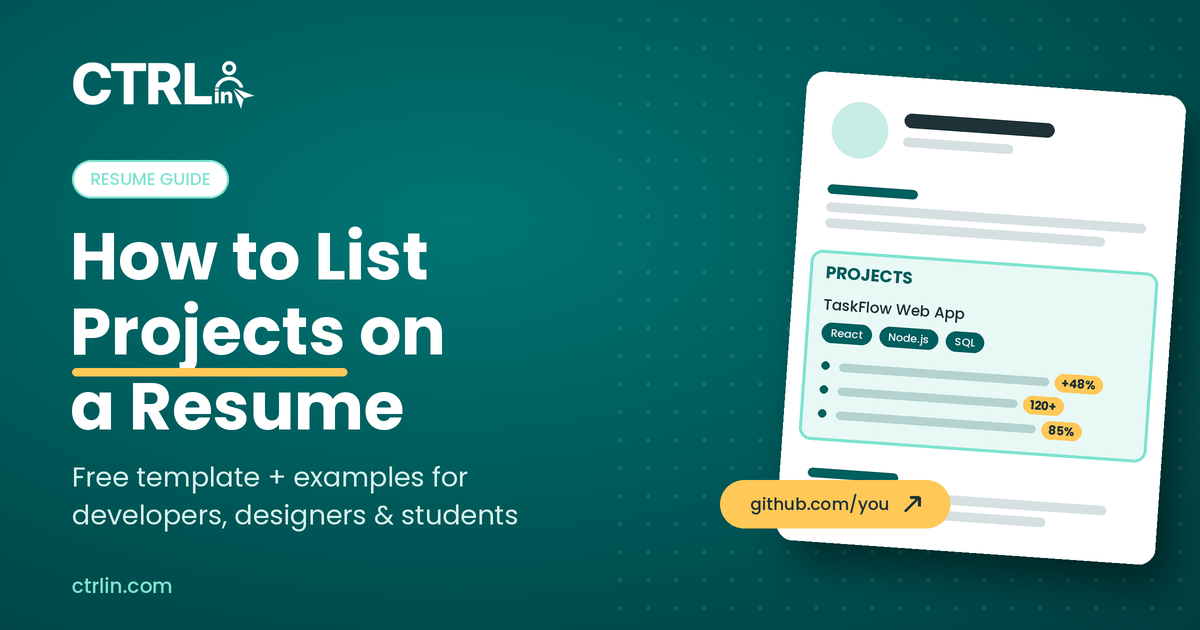
To list projects on a resume, add a section titled Projects and give each project a name, your role, the tools you used, dates, and a link. Then write 2 to 3 bullet points that start with an action verb and end with a measurable result.
That's the short answer. The rest of this guide shows you exactly where to place the section, a copy-and-paste template, and real examples for developers, analysts, designers, marketers, students, and freelancers.
Projects are often the fastest way to prove you can do a job before anyone has hired you to do it. Listed well, they turn "no experience" into "here's what I built."
Should you put projects on your resume?
Yes, if the projects show skills the job asks for. A projects section is especially valuable if you are:
- A student or recent graduate with little or no paid experience. See our guide on how to write a resume with no experience.
- Changing careers and need proof you can already do work in the new field. Our resume tips for career changers cover this in depth.
- In a technical or creative role such as software, data, design, or marketing, where hiring managers want to see your work.
- A freelancer whose best results came from client engagements rather than one employer.
What counts as a resume project?
Almost anything with a clear goal, your hands-on contribution, and an outcome:
- Personal or side projects (an app, a website, a dashboard)
- Academic, capstone, or thesis projects
- Freelance and client work
- Open-source contributions
- Hackathon and competition entries
- Volunteer projects for nonprofits or student groups
- Major projects inside a job that deserve more detail than a single bullet
If a project doesn't relate to the role you're applying for, leave it out.
Where to put projects on a resume
Put your projects where they'll carry the most weight. The stronger they are compared with your work history, the higher they should go.
| Your situation | Where to place projects |
| Student or no experience | Right after your summary, above education |
| Career changer | Above work experience, so relevant proof comes first |
| Experienced professional | Below work experience, as a separate section |
| Project happened inside a job | Under that job, as bullets or a short sub-list |
| Freelancer | In a "Freelance Projects" or "Selected Client Work" section |
Whatever you choose, use a standard heading like Projects, Personal Projects, or Academic Projects. Applicant tracking systems (ATS) recognize these labels and parse them correctly.
How to list a project on your resume in 5 steps
Step 1: Write a clear project title
Use a name a recruiter understands in one glance. "Inventory Tracking Web App" beats "Project Phoenix." If the project has an internal code name, add a plain description after it.
Step 2: Add your role, context, and dates
Say whether it was solo, team, academic, freelance, or open source. If it was a team project, state your role ("Frontend lead, team of 4"). Add the month and year, or a range.
Step 3: List the tools and skills you used
Name the technologies, software, or methods, such as React, Python, Figma, SQL, or Google Ads. Match the wording in the job description where it's accurate. This is where ATS keyword matching happens.
Step 4: Write 2 to 3 results-focused bullets
Use this formula for every bullet:
Action verb + what you did + measurable result
- Weak: "Worked on a website for a local bakery."
- Strong: "Built a responsive ordering site for a local bakery, increasing online orders by 35% in 2 months."
No hard numbers? Use scale (users, pages, records), speed (hours saved), or quality (rating, grade, award).
Step 5: Add a link to proof
Link to a live demo, GitHub repository, case study, or portfolio page. Use a short, clean URL, and make sure it opens without a login.
Copy and paste resume project template
Resume project examples by role
Use these as models. Swap in your own tools, numbers, and links.
Software developer project example
Data analyst project example
UI/UX designer project example
Digital marketing project example
Student or academic project example
Freelance project example
Freelancers can group client work under one heading. Our freelance resume guide covers the full layout.
Tips to make your projects stand out
- Pick 2 to 4 projects, not 10. Choose the ones closest to the job description and cut the rest.
- Tailor for every application. Reorder projects and bullets so the most relevant one comes first.
- Mirror the job's keywords. If the posting says "REST APIs" and you built one, use that exact phrase.
- Keep formatting ATS-friendly. Use plain text, standard headings, and simple bullets. Avoid putting projects inside tables, columns, or images.
- Lead with impact. The first bullet should hold your strongest result.
- Show recent work. Projects from the last 2 to 3 years read as current skills.
- Test every link. A broken GitHub or demo link undoes the credibility the project built.
Before you hit apply, run through our resume checklist to catch formatting and keyword gaps.
Common mistakes when listing projects
- Describing tasks instead of results. "Created a website" tells a recruiter nothing about quality or impact.
- Listing tutorial clones as original work. A to-do app copied from a course won't impress. Add your own feature or twist, and say what you changed.
- Hiding your role on team projects. Always say what you did, not what the team did.
- Writing long paragraphs. Recruiters skim. Keep it to 2 or 3 one-line bullets per project.
- Skipping the tools line. Without it, you miss ATS keyword matches.
- Including irrelevant projects. A cooking blog doesn't help a cybersecurity application unless it shows a relevant skill.
- Leaving out links. Hiring managers want to see the work. No link often means no proof.
Go beyond the resume: pair projects with a portfolio
A resume gives you about three lines per project. A portfolio gives each project room to tell the full story: the problem, your process, screenshots, and results.
The strongest applications use both. The resume bullet earns the click, and the portfolio link closes the deal.
With CTRLin, you can do both in one place:
- Build an ATS-friendly resume with a clean Projects section using CTRLin's free resume builder. Choose from Classic, Modern, Creative, Professional, and Minimal templates.
- Publish an online portfolio without writing code using the CTRLin portfolio builder, then share it with one link.
- Write a matching cover letter that highlights your best project with the CTRLin cover letter builder.
Because your details live in one CTRLin profile, adding a new project updates everything at once. For more on turning projects into a professional presence, read how to build your personal brand.
FAQs about listing projects on a resume
How many projects should I put on my resume?
List 2 to 4 projects. Choose the ones most relevant to the job, and put the strongest one first.
Can I put personal projects on my resume?
Yes. Personal projects are valuable when they use skills from the job description, especially if you have little work experience or are changing careers.
Should projects go before or after work experience?
Put projects before work experience if they're more relevant than your jobs, such as when you're a student or career changer. Otherwise, place them after work experience.
How do I list a group project on my resume?
Name the project, state the team size and your specific role, then write bullets only about your own contributions and results.
Should I include links to my projects?
Yes. Add a short link to a GitHub repository, live demo, or portfolio page so hiring managers can see your work.
Start showcasing your projects today
Pick your 2 to 4 most relevant projects, format each one with the template above, and rewrite every bullet so it ends in a result. Then add a link so employers can see the work for themselves.
Projects work best as part of a bigger plan. If you're still deciding which roles to target, start with our career planning guide.
Ready to put your projects to work? Build your free resume and portfolio with CTRLin →
Get Exclusive Updates & Resume Builder Features
Subscribe to our newsletter and stay ahead with the newest tools, design updates, and job-winning tips.